
In a world brimming with digital entertainment, finding activities that are both fun and genuinely educational can feel like searching for a needle in a haystack. Building games for kids offer a brilliant solution, transforming screen time into a powerful tool for learning. Think of them as digital sandboxes where imagination is the only limit, allowing children to construct everything from towering castles to complex spacecraft. More importantly, they lay a foundational understanding of STEM (Science, Technology, Engineering, and Maths) principles in a way that feels like pure play.
Through building, children naturally grapple with physics, spatial reasoning, problem-solving, and even basic coding. It’s a journey of discovery, much like the adventures of Space Ranger Fred, who uses creative thinking to solve tricky situations. For instance, in Space Ranger Fred and the Shoelace Adventure, Fred has to engineer a clever solution with limited resources—a skill honed in the very best building games. This curated list explores seven outstanding titles that challenge young minds to design, experiment, and create. From sprawling cities to interstellar rockets, we will detail how each game fosters specific STEM skills. This guide will help you select the perfect digital toolkit that will not only entertain your child but also equip them with the creative and critical thinking skills needed for the future.
1. Minecraft
Minecraft is a definitive sandbox construction game that has captivated millions of children and adults alike. It drops players into a vast, procedurally generated world made entirely of blocks, offering near-limitless potential for creativity and exploration. The core concept is simple: gather resources and use them to build anything you can imagine, from a humble cottage to a sprawling, intricate city. Its open-ended nature makes it one of the best building games for kids, fostering ingenuity without rigid goals.
The game operates primarily in two modes: Creative Mode, which provides unlimited resources and the ability to fly, allowing for pure, unhindered construction; and Survival Mode, where players must gather resources, manage hunger, and fend off nocturnal monsters while building shelters to survive. This duality allows children to choose the experience that best suits their mood, whether they want a relaxing design session or a challenging adventure.
Educational Implementation and Benefits
The educational applications of Minecraft are extensive and well-documented. Many schools leverage Minecraft: Education Edition to create immersive learning experiences. For example, students can explore historical settings by walking through meticulously recreated ancient cities or learn architectural principles by designing and constructing their own virtual buildings. The game is a fantastic, hands-on tool for STEM.
Just as Space Ranger Fred learns about complex concepts like time through tangible adventures in Space Ranger Fred and the Tick Tock Tale, Minecraft allows children to engage with abstract ideas in a hands-on, digital environment. It promotes several key skills:
- Spatial Reasoning: Planning and constructing three-dimensional structures helps children develop a strong sense of space and geometry.
- Problem-Solving: In Survival Mode, players must think critically to find resources, build effective shelters, and protect themselves.
- Creativity and Planning: The game encourages long-term planning and artistic expression, whether recreating famous landmarks or designing original creations.
The following infographic offers a quick reference for Minecraft's core features.
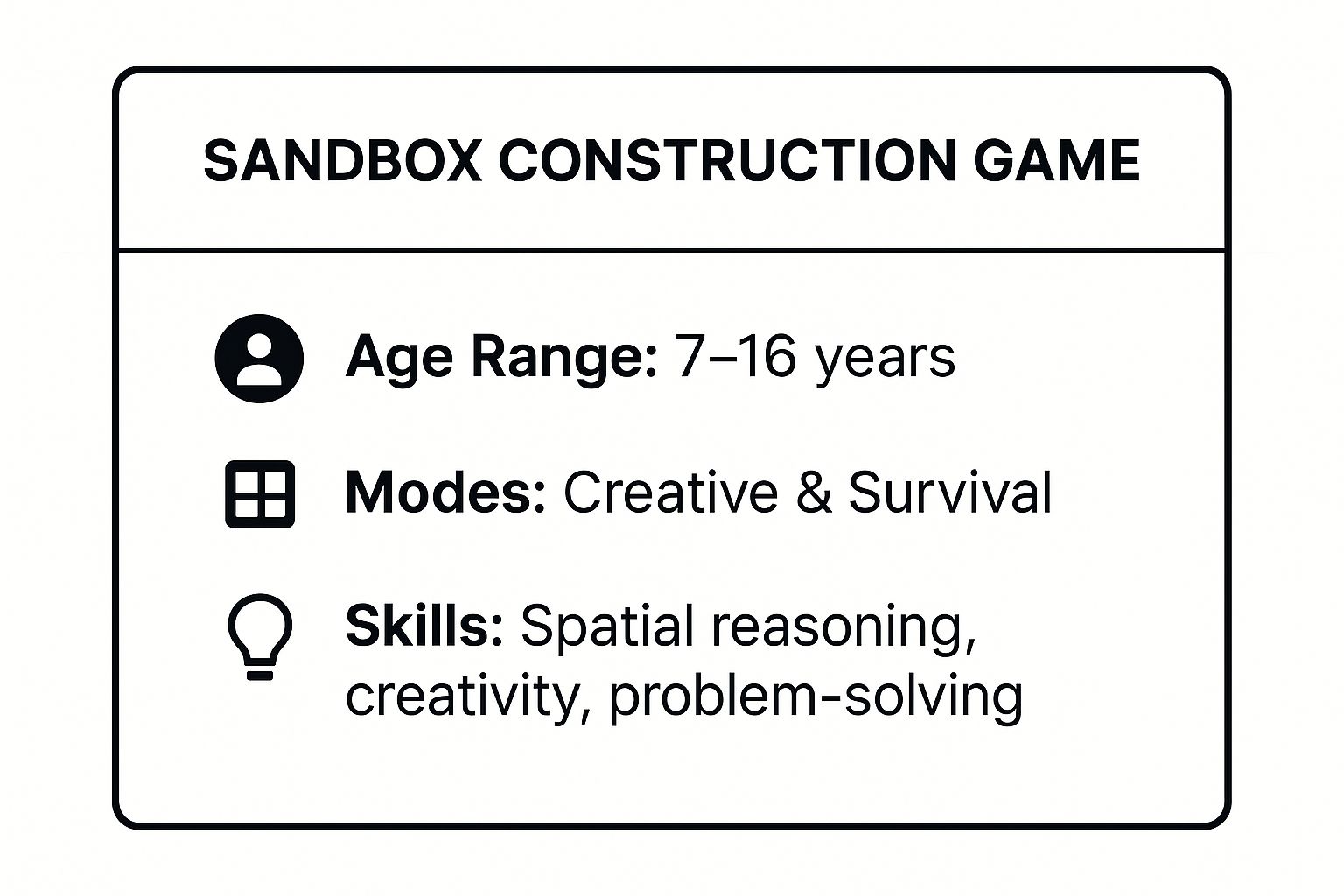
This summary highlights how Minecraft's flexible modes and broad age appeal make it a versatile tool for developing a mix of creative and analytical skills.
Practical Tips for Parents and Educators
To ensure a positive and productive experience, consider these actionable tips:
- Start with Creative Mode: For younger children or beginners, this mode removes threats and resource limitations, allowing them to learn the controls and build freely.
- Set Clear Time Limits: Minecraft can be highly engaging. Establish and maintain consistent screen time rules to ensure a healthy balance with other activities.
- Join Kid-Friendly Servers: When venturing into multiplayer, choose servers with strong moderation policies to ensure a safe and positive social environment.
- Play Together: Co-creating a world with your child can be a wonderful bonding experience and gives you insight into their play habits and creations.
2. LEGO Digital Designer & LEGO Builder
LEGO Digital Designer and the newer LEGO Builder app bring the timeless appeal of physical LEGO bricks into the digital realm, offering an unlimited toy box for aspiring creators. These applications allow children to construct intricate virtual models using an extensive library of authentic LEGO pieces in every shape and colour imaginable. This digital format removes the constraints of owning a limited number of physical bricks, making it one of the most accessible building games for kids who want to realise ambitious projects.
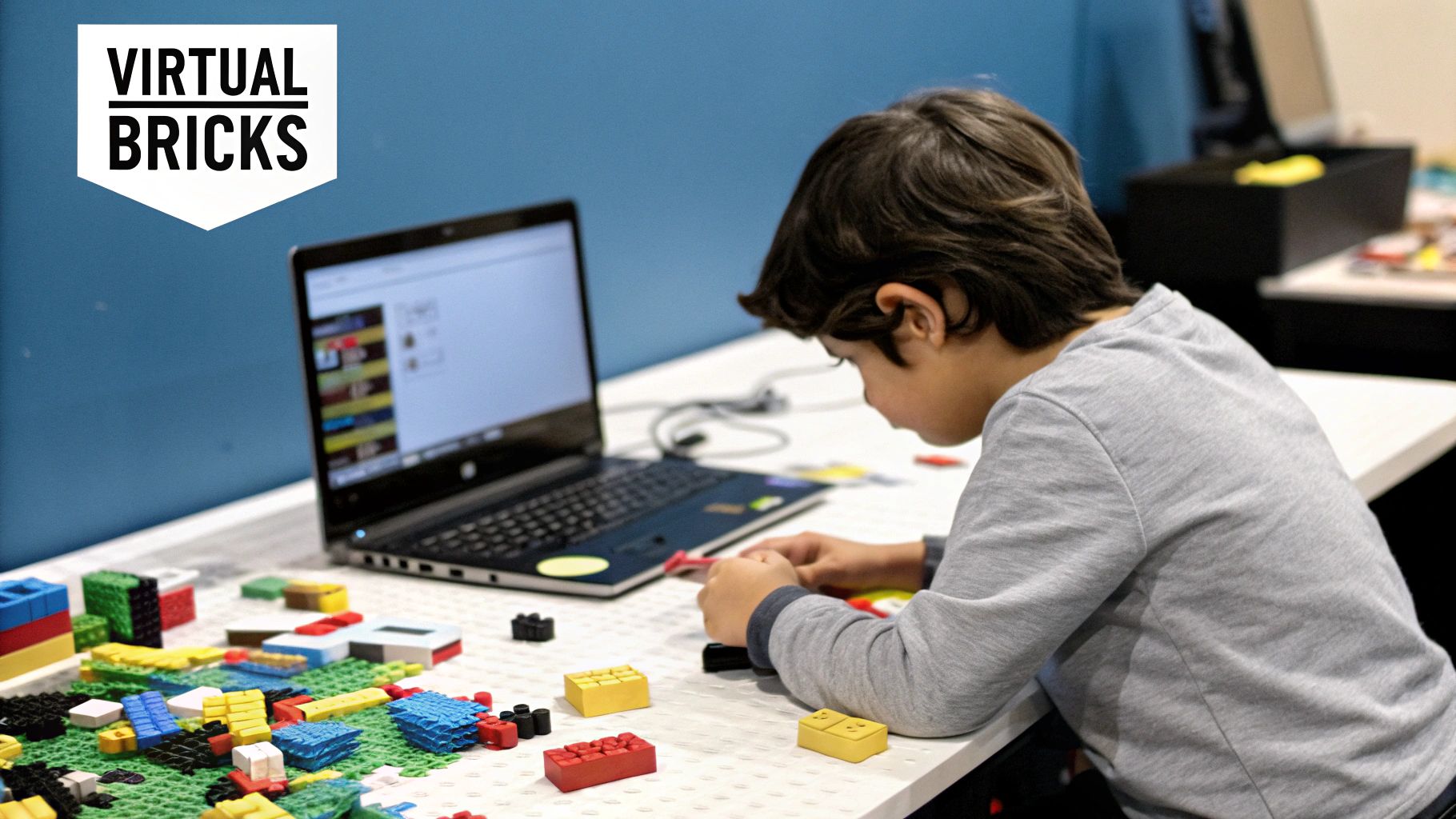
The core experience centres on selecting bricks from a digital palette and placing them on a virtual baseplate. Children can rotate, colour, and connect pieces just as they would with real LEGO, but with the added benefits of digital tools like copy-and-paste and automatic instruction generation. This empowers them to design everything from custom vehicles to detailed architectural replicas, fostering a seamless transition between physical and digital creativity.
Educational Implementation and Benefits
These LEGO applications serve as powerful STEM learning tools, making complex engineering and design concepts approachable. Educators often use them to teach geometry, as students can manipulate 3D shapes and visualise spatial relationships in a hands-on way. The process of building a stable structure or a functional machine introduces foundational engineering principles in an engaging, low-stakes environment.
Just as Space Ranger Fred learns to tackle complex problems step-by-step in Space Ranger Fred and the Shoelace Adventure, these tools teach children to break down large projects into manageable stages. The benefits are numerous:
- Spatial Awareness: Constructing models in a three-dimensional digital space sharpens a child's understanding of geometry, perspective, and scale.
- Planning and Sequencing: The ability to generate step-by-step instructions for a custom creation helps children learn logical sequencing and forethought.
- Creativity Without Limits: An infinite supply of bricks encourages children to experiment with designs that would be impossible with a limited physical collection.
Practical Tips for Parents and Educators
To maximise the learning and fun, consider these practical suggestions:
- Start with Simple Challenges: Encourage beginners to recreate a small, simple object from your home to help them learn the interface without feeling overwhelmed.
- Combine Digital and Physical Play: After designing a model digitally, challenge your child to build it using their physical LEGO bricks. This reinforces the connection between the virtual plan and real-world construction.
- Use the Instruction Generator: Have your child build something original and then use the app to create the building instructions. They can then share these instructions with a friend or family member to follow.
- Explore Community Creations: Browse online galleries to find inspiration and show children what is possible, sparking their own unique ideas for future projects.
3. Roblox Studio
Roblox Studio elevates the concept of building games for kids by transforming them from players into creators. It is a powerful, free game development engine that allows users to design, build, and publish their own 3D games and experiences on the Roblox platform. The interface combines intuitive drag-and-drop building tools with the capacity for sophisticated programming, making it an accessible entry point into game design and coding.
The platform offers two core avenues for creation: Building, where users can manipulate parts, textures, and models to construct detailed 3D environments; and Scripting, which uses the Lua programming language to add complex mechanics, interactions, and game logic. This layered approach allows children to start with visual construction and gradually progress to coding as their confidence and skills grow, turning their imaginative ideas into playable realities.
Educational Implementation and Benefits
Roblox Studio is a premier tool for hands-on STEM education, widely used both at home and in classrooms to teach foundational computer science concepts. Its project-based nature makes learning engaging, as students can see the immediate results of their coding and design efforts. Schools often use it to introduce topics like 3D modelling, game design principles, and object-oriented programming in an environment that children already find exciting.
Just as Space Ranger Fred learns about the practical applications of physics in Space Ranger Fred and the Umbrella Rescue, Roblox Studio allows children to apply abstract concepts like variables and loops to create tangible outcomes. This process builds several key competencies:
- Computational Thinking: Children learn to break down complex problems into smaller, manageable steps through scripting and game logic.
- Digital Literacy: It fosters essential modern skills, from 3D modelling and user interface design to basic coding and digital project management.
- Entrepreneurship: The platform includes systems for monetisation, providing a safe space to learn about design, marketing, and economics.
The video below offers an introduction to creating with Roblox Studio.
This summary illustrates how Roblox Studio serves as a comprehensive educational platform, bridging the gap between playing games and making them.
Practical Tips for Parents and Educators
To guide a child's journey into game development with Roblox Studio, consider these practical tips:
- Start with Building: Encourage beginners to familiarise themselves with the building tools by creating simple models or levels before introducing scripting.
- Use Official Tutorials: The Roblox Education Hub offers a wealth of structured tutorials and lesson plans designed for young creators.
- Set Clear Online Safety Rules: While a creative tool, it connects to a massive online platform. Discuss and establish guidelines for safe online interaction and sharing.
- Encourage Collaboration: Many developers work in teams. The platform supports collaborative building, which is a great way to develop teamwork and communication skills.
4. Toca Builders
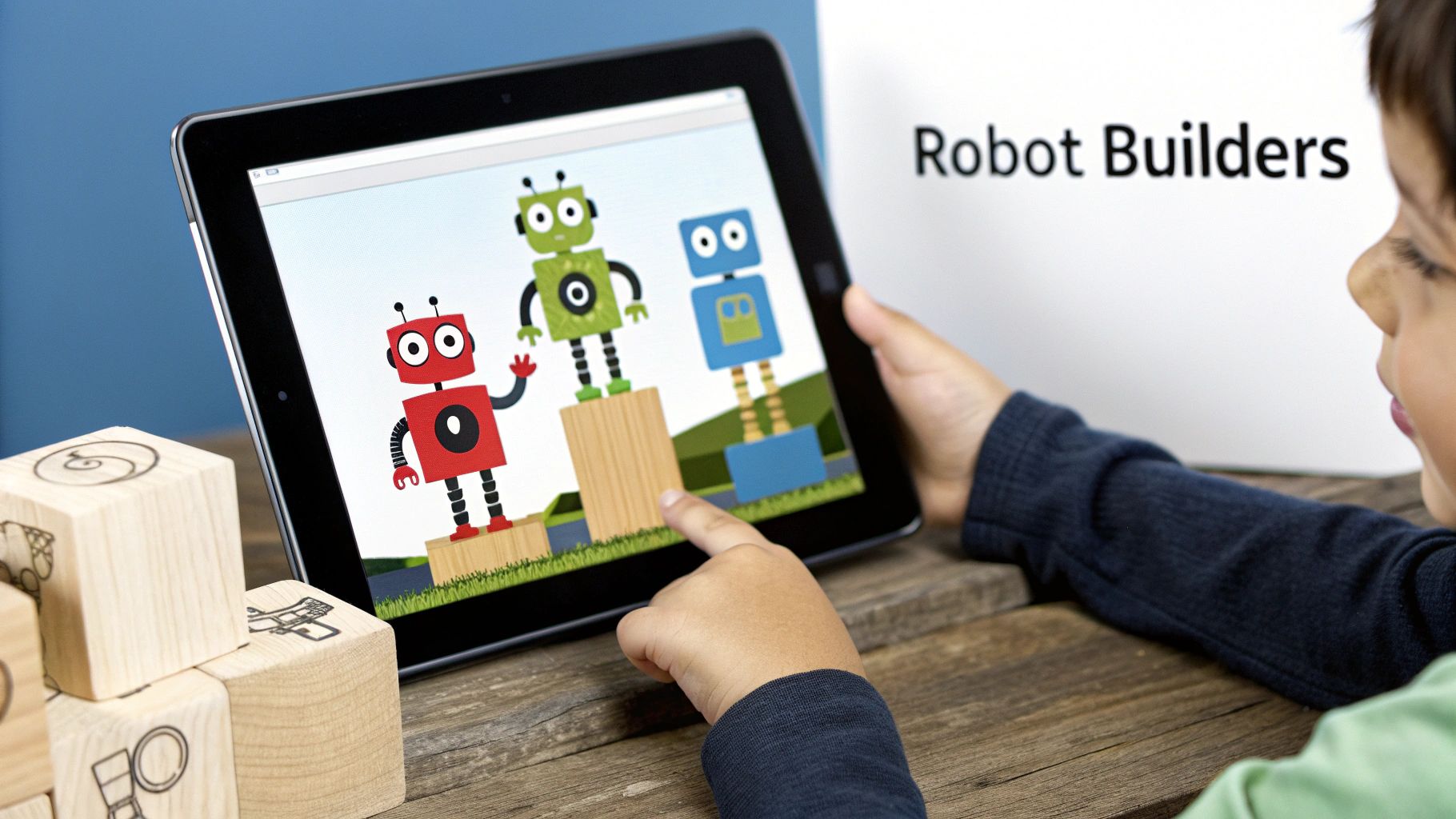
From the creative minds at Toca Boca, Toca Builders offers a unique and charming construction experience designed specifically for younger children. The game invites players into a vibrant world where they direct six distinct robot builders, each with a specialised skill, such as dropping blocks, painting, or lifting. This collaborative approach simplifies the building process, making it one of the most accessible and intuitive building games for kids.
The entire experience is open-ended, free from scores, time limits, or stressful objectives. Children are encouraged to experiment and build whatever they can imagine, whether it's a colourful castle, a wacky house, or an abstract sculpture. The focus is purely on creative expression and exploration, providing a safe digital sandbox for children to develop their ideas without pressure.
Educational Implementation and Benefits
Toca Builders excels as a tool for fostering foundational creative and cognitive skills in early childhood. Its simple, touch-based controls make it ideal for preschoolers and children with special needs who may find more complex games overwhelming. The game offers a gentle introduction to digital creation and STEM concepts.
Just as Space Ranger Fred learns about cause and effect during his adventures in Space Ranger Fred and the Shoelace Adventure, this game allows children to understand how different actions produce specific results. By selecting different robots, they learn how individual contributions combine to create a whole. Its educational benefits include:
- Fine Motor Skills: The drag-and-drop and tapping motions required to control the builders help refine hand-eye coordination.
- Creativity and Imagination: With no set goals, children are free to experiment with shapes, colours, and designs, fostering pure imaginative play.
- Cooperative Thinking: Although a single-player game, managing the six builders teaches basic concepts of teamwork and role specialisation.
This approach to digital play aligns with the idea that foundational STEM skills can be developed through simple, hands-on activities. To explore more games that build these core skills, you can find further insights into the best kids' science games from spacerangerfred.com.
Practical Tips for Parents and Educators
To maximise the benefits of Toca Builders, consider these simple, actionable strategies:
- Encourage Storytelling: Ask your child to tell you about what they are building. This connects their creation to narrative skills and gives their play more meaning.
- Let Them Lead: Resist the urge to direct their building. Allow them to explore each robot’s function and discover the possibilities on their own terms.
- Use as a Calming Activity: The game's gentle pace and lack of pressure make it an excellent choice for quiet time or for helping a child de-stress.
- Celebrate Their Creations: Take screenshots of their finished projects to show them you value their work and to create a digital portfolio of their ideas.
5. Cities: Skylines
Cities: Skylines is a sophisticated city-building simulation that offers a deep and rewarding experience for older children and teens interested in design and management. Players take on the role of a mayor, tasked with planning, building, and managing every aspect of a modern metropolis. From zoning residential areas and laying down road networks to managing public services and balancing a budget, the game provides a detailed look into the complexities of urban planning, making it one of the most educational building games for kids with a passion for systems.
The game gives players a blank canvas of land and a set of powerful tools to create their dream city. The core gameplay loop involves zoning for residential, commercial, and industrial areas, providing essential utilities like water and electricity, and managing a budget to ensure the city grows sustainably. As the city expands, players must tackle more complex challenges, such as traffic congestion, pollution, and citizen happiness, creating a dynamic and engaging simulation.
Educational Implementation and Benefits
Cities: Skylines serves as an excellent interactive tool for teaching STEM concepts in a practical context. Its realistic simulation of urban systems allows educators to demonstrate complex ideas, such as cause-and-effect relationships in economics or environmental science. For instance, a geography class could use the game to explore different city layouts and their impact on traffic flow and quality of life.
Just as Space Ranger Fred and the Umbrella Rescue helps children understand the importance of engineering solutions to solve a problem, Cities: Skylines teaches them about systems thinking. Players learn that decisions made in one area, like building a new industrial zone, have ripple effects across the entire city, impacting pollution, employment, and traffic. This fosters key skills:
- Systems Thinking: Understanding how interconnected parts of a complex system (like a city) influence one another.
- Financial Literacy: Players must manage a city budget, balancing tax income with spending on services and infrastructure.
- Problem-Solving: Identifying and solving urban issues like traffic jams or inadequate public transport requires critical thinking and strategic planning.
This summary highlights how the game’s detailed simulation makes it a powerful tool for developing advanced planning and analytical skills.
Practical Tips for Parents and Educators
To make this complex game accessible and enjoyable, consider these strategies:
- Start with the Unlimited Money Mode: This removes budgetary pressures, allowing children to experiment freely with city design and learn the core mechanics without the risk of going bankrupt.
- Focus on One System at a Time: Begin by mastering a single aspect, such as road layout or water management, before moving on to more complex systems like public transport or city policies.
- Watch Tutorials Together: Many excellent video guides are available online. Watching them with your child can help demystify complex features and provide inspiration for their creations.
- Discuss Real-World Parallels: Use the game as a springboard to talk about your own town or city. Discuss why certain roads are busy, where parks are located, and how public services work.
6. Bridge Constructor Portal
Bridge Constructor Portal blends the clever physics-based puzzle mechanics of the Bridge Constructor series with the witty, science-fiction setting of Valve's acclaimed Portal games. This title challenges players to build bridges, ramps, and other structures to guide test vehicles safely through Aperture Science test chambers. Its unique premise makes it one of the most intellectually stimulating building games for kids, introducing fundamental engineering concepts in a fun and engaging way.
The game is less about open-ended creativity and more about focused problem-solving. Players are given a limited set of components, such as road segments and cables, and must use them to overcome gaps, acid pits, and laser fields. Success requires an understanding of physics, structural integrity, and logic, all while being humorously taunted by the infamous AI, GLaDOS.
Educational Implementation and Benefits
Educators and parents will find Bridge Constructor Portal to be an excellent tool for teaching foundational STEM principles. Its level-based structure offers a clear progression of difficulty, making it ideal for classroom activities where students can learn about load distribution, tension, and support structures by designing and testing their own bridges.
Just as Space Ranger Fred learns to tackle complex problems step-by-step in Space Ranger Fred and the Shoelace Adventure, this game encourages children to approach challenges with methodical thinking. It builds several key skills:
- Engineering Principles: Children gain a practical understanding of how forces like gravity and tension affect structures.
- Critical Thinking: Each level is a distinct puzzle that demands analysis, planning, and iterative design to solve.
- Resilience and Patience: Designs will often fail spectacularly, teaching children the value of learning from mistakes and trying again.
The game cleverly embeds physics lessons into its gameplay, making abstract concepts feel tangible and immediately applicable. Explore how to cultivate these abilities in our guide to developing problem-solving skills.
Practical Tips for Parents and Educators
To maximise the learning potential and fun of Bridge Constructor Portal, consider these strategies:
- Encourage Experimentation: There is no single correct solution to most puzzles. Praise creative or unconventional designs, even if they fail.
- Discuss the 'Why': When a bridge collapses, pause and discuss why it happened. Was the support too weak? Was the angle too steep? This turns failure into a learning moment.
- Start with the Basics: The initial levels serve as excellent tutorials. Ensure children are comfortable with the core mechanics before moving on to more complex challenges.
- Relate to the Real World: Use the game as a springboard to talk about real-world bridges and architecture. Look at pictures of different bridge types and discuss how they support weight.
7. Kerbal Space Program
Kerbal Space Program (KSP) is a sophisticated space flight simulation game where players design, build, and launch rockets, space planes, and other craft. It challenges players to conquer space exploration using realistic aerodynamic and orbital physics. While its learning curve is steeper than many other titles, it offers an incredibly rewarding experience for curious children, making it one of the most unique building games for kids who dream of the stars.
The game is centred around the Kerbals, a species of small green humanoids who run a space programme on their home planet, Kerbin. Players take charge of this programme, constructing spacecraft from a vast array of parts in the Vehicle Assembly Building. The primary goal is to successfully pilot missions, from launching your first rocket into orbit to landing on distant moons and planets. Success requires careful planning, engineering, and a lot of trial and error.
Educational Implementation and Benefits
The educational value of Kerbal Space Program is immense and has even been recognised by NASA, which has partnered with the game for educational outreach. It provides a hands-on, interactive laboratory for learning complex STEM concepts. Schools and science clubs use it to let students replicate real-life space missions or design their own, turning abstract physics into tangible results.
Just as Space Ranger Fred learns about gravity and force in Space Ranger Fred and the Umbrella Rescue, KSP lets children experiment with these principles directly. The game promotes several advanced skills:
- Physics and Engineering: Players learn foundational concepts of orbital mechanics, aerodynamics, and structural engineering through direct application.
- Critical Thinking: Designing a stable rocket that can reach orbit without falling apart requires immense foresight and analytical skill. Discover more about developing critical thinking skills in children.
- Resilience and Experimentation: Failure is a core part of the gameplay loop, teaching children the value of learning from mistakes and iterating on their designs.
This summary highlights how KSP’s challenging yet rewarding gameplay makes it a powerful tool for developing a deep understanding of real-world science and engineering.
Practical Tips for Parents and Educators
To help your child navigate this complex but fulfilling game, consider these practical tips:
- Start with the Tutorials: The in-game tutorials are essential for understanding the basics of construction and orbital mechanics.
- Focus on Experimentation: Encourage a mindset of "let's see what happens" rather than aiming for perfection. The fun is in the spectacular failures as much as the successes.
- Watch Educational Videos: Many YouTubers create family-friendly KSP series that explain complex concepts in an entertaining way. Watching together can be very helpful.
- Connect to Real Space Missions: Use the game as a springboard to discuss current events in space exploration, like NASA's Artemis missions or SpaceX launches.
Building Games for Kids: Feature Comparison of 7 Platforms
| Item | Implementation Complexity 🔄 | Resource Requirements ⚡ | Expected Outcomes 📊 | Ideal Use Cases 💡 | Key Advantages ⭐ |
|---|---|---|---|---|---|
| Minecraft | Medium – Requires learning game mechanics and redstone systems | Moderate – PC/mobile/consoles, multiplayer needs internet | Develops creativity, spatial reasoning, problem-solving | Creative learning, collaboration, STEM education | Highly creative with multiplayer and educational modes |
| LEGO Digital Designer & LEGO Builder | Low to Medium – Intuitive 3D navigation and building | Low – Runs on PC/mobile/web, needs device with screen | Enhances fine motor skills, spatial awareness, sequencing | Digital LEGO building, geometry lessons, sharing models | Authentic LEGO experience, combines digital and physical |
| Roblox Studio | High – Includes 3D building plus programming (Lua scripting) | High – PC/mobile, stable internet needed | Builds coding skills, creativity, entrepreneurial mindset | Game design education, programming introduction | Combines game creation with scripting and marketplace |
| Toca Builders | Low – Simple touch controls, no complex rules | Low – Mobile only, offline play possible | Encourages creativity for young children, independent play | Early childhood creative play, simple spatial skills | Child-friendly, safe, no ads, great for preschoolers |
| Cities: Skylines | High – Complex urban management simulation | High – PC/consoles, requires sustained attention | Teaches urban planning, systems thinking, resource management | Older kids/teens learning city planning and management | Realistic simulation with strong modding community |
| Bridge Constructor Portal | Medium – Physics-based puzzle solving, guided progression | Low to Medium – Runs on multiple platforms | Introduces engineering and physics basics, creative problem-solving | STEM education, physics concepts through gaming | Engaging theme with real-time feedback and multiple solutions |
| Kerbal Space Program | Very High – Complex physics and aerospace simulation | High – PC/consoles, requires significant time and patience | Teaches aerospace engineering, physics, critical thinking | Advanced STEM learners, aerospace and physics education | Realistic orbital mechanics and educational support |
Building the Future, One Block at a Time
The landscape of play is constantly evolving, but the core value of building remains timeless. The digital building games for kids we've explored throughout this article offer far more than just a pastime; they are dynamic, interactive learning environments that cultivate the skills essential for tomorrow's innovators, engineers, and creative thinkers. These platforms serve as foundational playgrounds for developing crucial STEM aptitudes in a way that feels natural and exciting.
From the boundless architectural creativity of Minecraft and LEGO Builder to the intricate urban planning required in Cities: Skylines, each game provides a unique pathway for children to engage with complex concepts. They learn to think like engineers when constructing bridges in Bridge Constructor Portal, plan like project managers when designing worlds in Roblox Studio, and solve problems like aerospace scientists in the challenging yet rewarding universe of Kerbal Space Program. This hands-on, trial-and-error approach is an incredibly powerful educational tool.
From Digital Blocks to Real-World Skills
The true value of these experiences lies in their ability to translate digital actions into tangible, real-world skills. When a child carefully balances thrust and weight in Kerbal Space Program, they are intuitively learning about physics and orbital mechanics. When they design a functional city layout, they are grappling with resource management, infrastructure, and civic planning. These are not abstract lessons from a textbook; they are lived experiences that build lasting understanding.
This method mirrors the kind of learning we see in engaging children's literature. Much like Space Ranger Fred learns about physics through practical challenges in Space Ranger Fred and the Umbrella Rescue or grasps complex concepts in Space Ranger Fred and the Shoelace Adventure, these games teach complex ideas through immersive, story-driven challenges. The motivation comes from a desire to achieve a goal within the game, whether that's reaching a new planet or building a magnificent castle.
Your Next Steps as a Parent or Educator
Encouraging your child to dive into these worlds is a significant step, but your involvement can amplify the benefits. Here are a few actionable steps to take:
- Play Together: Sit down and explore these games with your child. Ask questions about their creations and the challenges they face. This co-play turns a solitary activity into a shared learning adventure.
- Connect to the Real World: See a unique bridge design? Talk about famous bridges in the real world. Did they build an efficient city? Discuss how your own town is organised.
- Encourage Problem-Solving: When they get stuck, resist the urge to give them the answer immediately. Instead, ask guiding questions like, "What have you tried so far?" or "What do you think is causing the problem?" This builds resilience and critical thinking.
By providing access to the best building games for kids, you are not just giving them a source of entertainment. You are providing a sophisticated toolkit for building creativity, logical reasoning, and a lifelong passion for learning and discovery. You are empowering them to become the architects of their own future, one digital block at a time.
Ready to take the principles of building and problem-solving off the screen? The Space Ranger Fred book series continues the adventure, translating the STEM concepts found in these games into captivating stories. Discover how Fred tackles engineering and physics challenges in his cosmic quests at Space Ranger Fred.