
Finding truly engaging and fun learning games for kids can feel like a monumental quest. Parents and educators are constantly searching for ways to move beyond rote memorisation, aiming to ignite genuine curiosity, particularly in crucial STEM subjects: science, technology, engineering, and maths. The challenge is clear: how do we make complex concepts like coding, algebra, or physics as captivating as a playground adventure? The answer lies in transforming learning from a passive activity into an interactive experience. Play isn't just a break from education; when structured correctly, it is one of the most powerful forms of learning.
Through games, children develop essential skills in a low-stakes, high-engagement environment. They learn to analyse problems, experiment with solutions, and build resilience when their first attempt doesn't succeed. This process mirrors the scientific method and fosters a growth mindset, teaching them that failure is simply a stepping stone to understanding. Whether they are building a virtual world or solving a tangible puzzle, they are actively constructing knowledge, not just consuming it. This hands-on approach is vital for developing the critical thinking and problem-solving abilities needed to thrive.
This article provides a curated guide to some of the best educational games available, designed to make learning feel less like a chore and more like a thrilling mission. Just as characters like Space Ranger Fred use clever thinking to solve challenges in Space Ranger Fred and the Shoelace Adventure, these games encourage children to become active problem-solvers. We will explore a variety of options, from digital platforms that teach coding and mathematics to interactive systems that blend physical and screen-based play. Our goal is to equip you with a diverse toolkit of high-quality, genuinely fun learning games for kids that will spark a lifelong passion for discovery and innovation.
1. Build New Worlds with Minecraft Education Edition
Minecraft Education Edition transforms the popular block-building game into a limitless digital laboratory, making it one of the most versatile and engaging fun learning games for kids available today. It leverages a world children already love, providing a tangible, interactive environment to explore complex subjects. Far beyond simple gameplay, it’s a powerful platform for project-based learning that fosters creativity, problem-solving, and collaboration.
Why It’s a Powerful Learning Tool
The game’s core mechanics are perfectly suited for educational exploration. In science, students can build molecular structures atom by atom or design functioning electrical circuits using the game's virtual Redstone dust. For history and art, they can construct scale models of ancient civilisations like Rome or the Egyptian pyramids, gaining a deep understanding of architecture and spatial design.
Imagine a project where a class must design and build a sustainable Martian colony. This single task requires them to tackle real-world challenges like generating power, creating breathable oxygen supplies, and figuring out how to grow food in a hostile environment, all within the game's physics. It’s the kind of hands-on, problem-solving challenge that inspires characters like Space Ranger Fred in Space Ranger Fred and the Shoelace Adventure, turning abstract scientific principles into an exciting, memorable adventure.
The infographic below summarises the core features of Minecraft Education Edition.
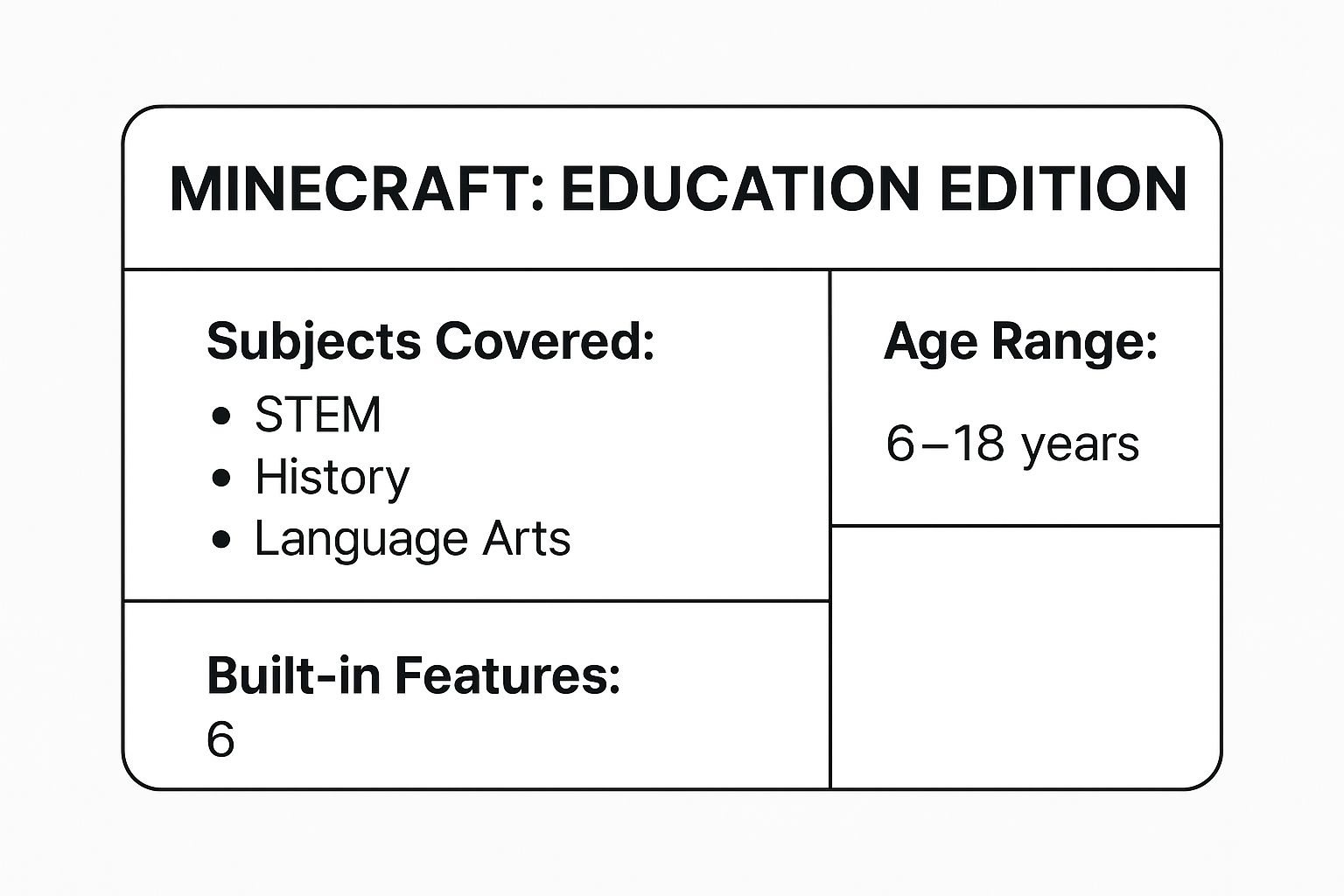
This quick reference highlights the platform's incredible versatility, covering a vast range of subjects suitable for primary through to secondary education.
How to Get Started
Implementing Minecraft Education effectively involves more than just letting children play. Strategic planning can transform gameplay into powerful learning experiences.
- Set Clear Objectives: Before starting a project, define what you want students to learn. Are they exploring geometric principles by building castles or learning basic coding with the integrated MakeCode feature?
- Use Pre-Built Worlds: The platform offers a library of pre-made lessons and worlds. Starting with these can help both educators and students familiarise themselves with the controls and possibilities before creating custom content from scratch.
- Encourage Documentation: Ask students to document their process. They can take screenshots of their creations, write journals about their design choices, or create presentations explaining how their virtual machines work. This reinforces the learning and develops communication skills.
- Leverage Classroom Features: Use the built-in classroom management tools to monitor student progress, offer guidance, and foster a collaborative environment where students can work together on large-scale projects.
2. Duolingo
Duolingo is a gamified language learning platform that uses bite-sized lessons, streak counters and achievement systems to make language acquisition engaging and habit-forming. Children progress through levels by earning points, unlocking new skills and receiving immediate feedback on exercises. While it isn't strictly a STEM game, the logical process of learning grammar and syntax uses the same part of the brain that excels at problem-solving, much like how Space Ranger Fred figures out the puzzle in Space Ranger Fred and the Umbrella Rescue.
Why It’s a Powerful Learning Tool
The platform’s core mechanics tap into rewards and instant feedback to reinforce learning. Streaks and leaderboards encourage daily practice, while adaptive algorithms adjust difficulty based on performance. This scaffolding ensures children are challenged without feeling overwhelmed.
Over 500 million users worldwide have adopted Duolingo across varied settings. It features in school curricula in the UK, US and Canada, powers corporate language training and supports refugee education programmes with NGOs. In one London primary school, pupils average 15 minutes of daily practice, achieving A1 level in four months. Educators praise the app’s built-in reporting features for tracking progress in real time.
How to Get Started
Implementing Duolingo in the classroom or at home requires clear goals and regular check-ins. These tips help teachers and parents turn brief sessions into effective language practice:
- Set daily goals and maintain streaks to build a consistent learning habit
- Pair with conversation practice (at home or in class) for better oral fluency
- Explore Stories and Podcasts features for context-rich comprehension
- Join Duolingo Clubs to motivate learners through friendly competition
- Encourage journaling: have learners write simple sentences in the target language to reinforce grammar
- Visit Duolingo to create free accounts and assign exercises
By combining Duolingo’s game-style lessons with real-world speaking tasks and community support, children aged 6 to 12 can build confidence and fluency without feeling the process is tedious.
3. Explore Foundational Skills with Khan Academy Kids
Khan Academy Kids offers a comprehensive, free educational programme designed to inspire a lifetime of learning and discovery for children aged two to eight. This delightful app transforms foundational education into an enchanting adventure, guided by a cast of charming animal characters. It provides a personalised learning path that adapts to each child's pace, making it one of the most effective and accessible fun learning games for kids.
Why It’s a Powerful Learning Tool
The app's strength lies in its holistic, curriculum-aligned approach. It seamlessly integrates core subjects like reading, writing, and mathematics with creative activities and social-emotional development. Children can practise phonics with Kodi the bear, solve logic puzzles, trace letters, and read interactive stories. The platform’s open-ended activities, such as drawing and storytelling, encourage self-expression and creative thinking.
Consider a child learning about sequencing and problem-solving. They might follow a multi-step activity that guides them through building a virtual rocket ship, choosing the right parts in the correct order. This process mirrors the logical thinking and step-by-step planning a character like Fred uses in Space Ranger Fred and the Tick Tock Tale to solve his time-sensitive mission, turning an abstract concept into a hands-on, engaging task.
How to Get Started
Maximising the benefits of Khan Academy Kids involves thoughtful engagement from parents and educators. Its intuitive design makes it easy to dive in, but a structured approach can deepen the learning.
- Create Individual Profiles: Set up a unique profile for each child. The app uses this to track their progress and create a personalised learning path that adjusts its difficulty based on their performance, ensuring they are always challenged but never overwhelmed.
- Explore the Library: Beyond the main learning path, the Library tab contains a vast collection of books, videos, and activities organised by topic. Use this to supplement learning or explore subjects your child shows a particular interest in.
- Engage in Joint Play: Sit with your child while they use the app. Ask questions about the activities they are completing, celebrate their achievements, and connect the on-screen lessons to real-world experiences to reinforce their understanding.
- Use the Parent Dashboard: The "For Parents" section provides progress reports that show what your child is learning and where they might need more support. Use these insights to guide your offline learning activities and discussions.
4. DragonBox (Math Games Series)
The DragonBox series of games masterfully demystifies mathematics by transforming abstract concepts like algebra into an intuitive, puzzle-based experience. These fun learning games for kids don't feel like maths homework; instead, they present concepts as interactive challenges where children manipulate on-screen objects to "feed" a growing dragon. This clever design allows children to grasp complex algebraic rules and geometric principles through discovery and play, long before they are introduced to formal notation.
Why It’s a Powerful Learning Tool
DragonBox excels by removing the initial intimidation factor often associated with mathematics. In the algebra games, for instance, variables are first represented as colourful picture boxes. Children learn to isolate the "box" on one side of the screen by performing balancing actions, intuitively grasping the foundational principles of solving equations. Only after mastering the mechanics do the pictures gradually transition into traditional algebraic symbols like 'x' and 'y', making the connection seamless and natural.
This method of learning through tangible, visual puzzles mirrors the problem-solving approach seen in stories like Space Ranger Fred and the Umbrella Rescue, where understanding the mechanics of a system is key to finding the solution. Children build confidence by solving what are essentially algebraic equations without realising it, which significantly reduces maths anxiety and builds a strong, positive foundation for future learning. This unique approach is why the series is used in classrooms and homes across more than 50 countries.
How to Get Started
To maximise the educational benefits of the DragonBox series, it's best to guide the learning journey without taking over the discovery process.
- Allow Free Exploration First: Let your child play the game without any initial instruction. The intuitive design is meant to be explored, and allowing them to figure out the rules on their own is a powerful part of the learning process.
- Connect Game Actions to Maths Language: As they progress, start introducing the correct terminology. You can say, "The way you got the box by itself is called 'isolating the variable'," helping to bridge the gap between gameplay and formal mathematics.
- Use It as a Confidence Booster: If a child is struggling with traditional maths problems, use DragonBox as a low-pressure tool to reinforce concepts. Success in the game can build the confidence they need to tackle classroom assignments.
- Encourage 'Teaching Back': Ask your child to explain their strategy for solving a particularly tricky level. This reinforces their understanding and develops their ability to articulate logical reasoning. Explore more about how game-based learning boosts STEM skills in our related article, The Ultimate Guide to Kids' Science Games.
5. Scratch Programming
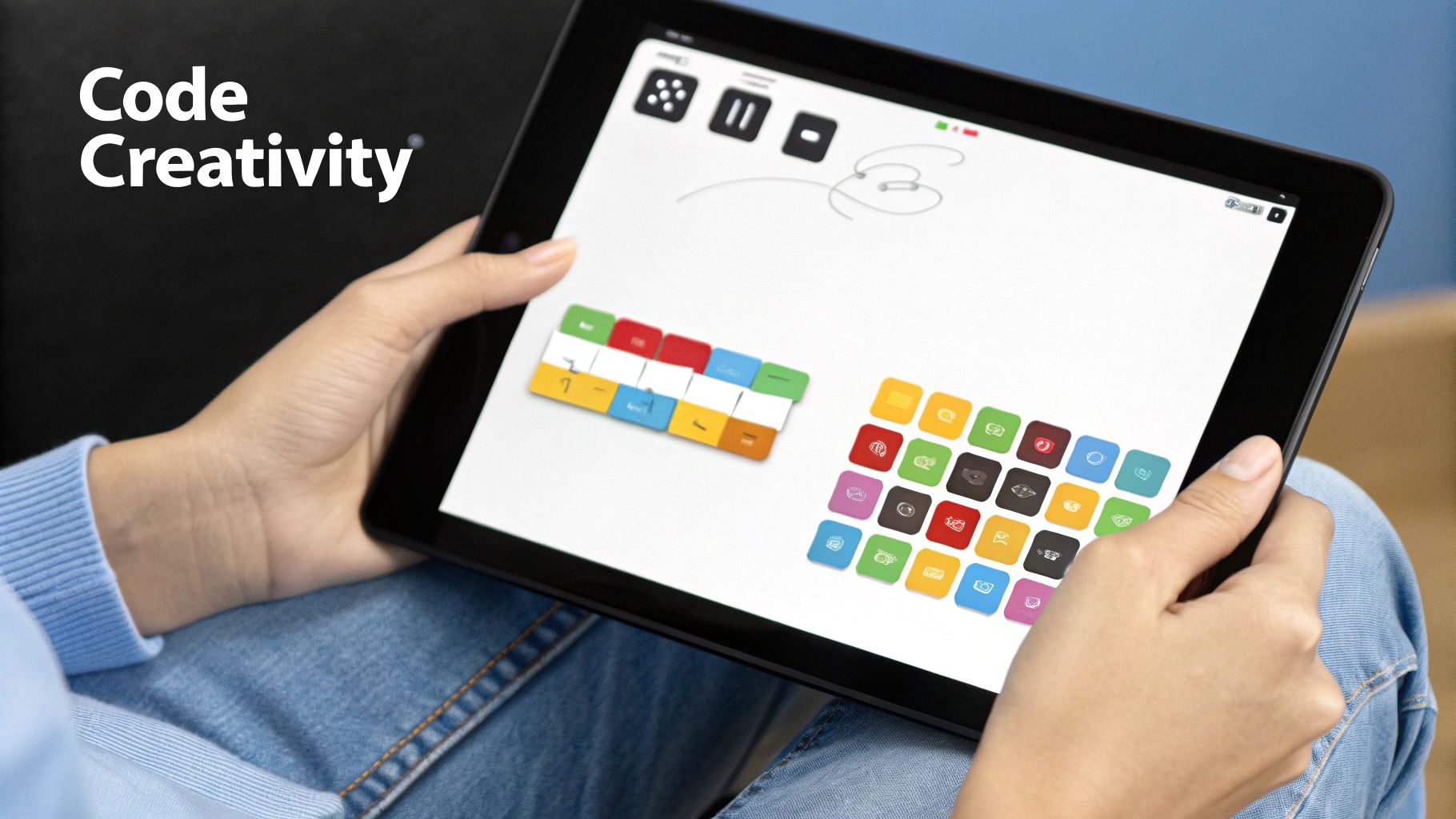
Scratch programming is a visual coding language and online community from MIT that empowers children to become creators, not just consumers, of technology. It demystifies coding by allowing users to snap together colourful blocks to create interactive stories, games, and animations. This approach removes the intimidating syntax of traditional programming, making it one of the most accessible and fun learning games for kids who are just starting their journey into computer science.
Why It’s a Powerful Learning Tool
The block-based system introduces fundamental programming concepts like loops, variables, and conditional statements in an intuitive, hands-on way. Children learn to think systematically and solve problems logically as they bring their ideas to life. In a science class, students could animate the water cycle or create a game that simulates planetary orbits. For storytelling, they can build interactive narratives with branching pathways.
Imagine a child creating a game where they must guide a character, much like Space Ranger Fred, through a series of timed challenges to solve a puzzle, similar to the plot in Space Ranger Fred and the Tick Tock Tale. This project teaches them sequencing, event handling, and user interaction design. They learn to break down a complex goal into smaller, manageable steps, a core skill in both programming and real-life problem-solving. This makes it an ideal platform for those interested in building games for kids and exploring their creativity.
How to Get Started
Getting started with Scratch is simple and requires no software installation, as it runs directly in a web browser. A structured approach helps turn creative play into deep learning.
- Start with Simple Projects: Begin with a basic animation, like making a character (called a "sprite") move and talk. This builds confidence and familiarises children with the interface before they tackle more complex game mechanics.
- Explore and Remix: The Scratch community is a massive library of inspiration. Encourage your child to find a project they like and use the "Remix" feature to see its code, modify it, and learn how it was built.
- Combine with Unplugged Activities: Use offline activities, like planning a game's logic on paper with flowcharts or acting out command sequences, to reinforce computational thinking concepts away from the screen.
- Encourage Sharing and Feedback: One of Scratch's best features is its collaborative community. Urge children to share their finished projects and provide constructive feedback on others' work. This develops communication skills and a sense of pride in their creations.
6. Prodigy Math Game
Prodigy Math Game transforms mathematics practice into a captivating fantasy adventure, making it one of the most popular fun learning games for kids in the UK and beyond. The platform cleverly disguises curriculum-aligned maths problems as epic battles and quests. Children create their own wizard avatar and explore a vibrant world, battling monsters by correctly answering questions tailored to their individual skill level, turning what can be a chore into an exciting challenge.
Why It’s a Powerful Learning Tool
The game’s adaptive algorithm is its core strength. It assesses a child’s ability as they play and adjusts the difficulty of the maths problems in real-time. This ensures that learners are always challenged but never overwhelmed, building confidence and fostering a positive attitude towards maths. The quests provide a strong narrative drive, motivating children to solve more problems to level up their character, collect pets, and unlock new areas of the game world.
This approach gamifies learning in a way that resonates deeply with children. A student might not be excited by a worksheet on fractions, but they will eagerly calculate them to defeat a powerful monster and complete a quest. It’s this blend of entertainment and education that makes problem-solving feel less like work and more like the strategic thinking needed by characters like Space Ranger Fred in Space Ranger Fred and the Shoelace Adventure.
How to Get Started
To get the most out of Prodigy, parents and educators should guide the experience to ensure it aligns with learning goals. A strategic approach can maximise its educational impact.
- Set Clear Learning Goals: Use the parent or teacher dashboard to assign specific mathematical topics or standards. This focuses the game's adaptive algorithm on the areas where your child needs the most practice, such as multiplication or geometry.
- Monitor Progress: Regularly check the dashboard reports. These provide detailed insights into a child's strengths and weaknesses, highlighting specific skills they have mastered and areas where they might be struggling.
- Balance Screen Time: While Prodigy is a valuable tool, it should complement, not replace, traditional instruction. Use it as a rewarding practice tool alongside other hands-on maths activities and lessons.
- Discuss Problem-Solving Strategies: Encourage children to talk about how they solved a difficult problem in the game. Asking them to "teach" you their method reinforces their understanding and develops their mathematical communication skills.
7. BrainPOP and BrainPOP Jr.
BrainPOP and its junior counterpart, BrainPOP Jr., turn complex academic subjects into animated adventures, making them some of the most accessible and fun learning games for kids. These platforms use short, engaging videos featuring the characters Tim and Moby to break down tricky concepts in science, maths, English, and more. Rather than just passive viewing, each video is paired with interactive quizzes, games, and activities that reinforce learning and ensure comprehension.
Why It’s a Powerful Learning Tool
The strength of BrainPOP lies in its ability to simplify complex information without losing educational value. For a child struggling with the concept of gravity, Tim and Moby can explain the forces at play in a way that is visual, memorable, and entertaining. The platform covers an enormous range of topics, from the water cycle and coding to historical events and grammar rules, all presented in a consistent and child-friendly format.
Imagine a lesson on problem-solving and simple machines. After watching a BrainPOP video explaining levers and pulleys, children could be challenged to design a device to help a character like Space Ranger Fred retrieve his lost umbrella, just like in Space Ranger Fred and the Umbrella Rescue. This approach connects the animated lesson to a hands-on, creative challenge, solidifying their understanding of engineering principles through practical application. This multi-modal approach-watch, play, and create-caters to diverse learning styles and keeps children motivated.
How to Get Started
To get the most out of BrainPOP, it helps to integrate its resources into a structured learning routine. This ensures the platform is used not just for entertainment, but as a dynamic educational tool.
- Create Thematic Playlists: Group related videos, quizzes, and games into a single playlist for a specific subject, like "Exploring Space" or "Understanding Ecosystems." This creates a cohesive learning unit that students can work through independently.
- Pause and Discuss: Don't just let the videos play through. Use the pause feature to ask questions, check for understanding, and connect the topic to real-world examples or other subjects.
- Combine with Offline Activities: After watching a video on electricity, challenge your child to build a simple circuit with a kit. If they learn about storytelling, ask them to write their own short adventure. This bridges the gap between digital learning and hands-on experience.
- Utilise Assessment Tools: The quizzes and challenges aren't just for fun; they are excellent tools to gauge a child's comprehension. Use them to identify areas where they might need more support or to celebrate their mastery of a new concept.
8. Turn Quizzes into Thrilling Competitions with Kahoot!
Kahoot! transforms the traditional classroom quiz into a vibrant, competitive game show, making it one of the most effective and fun learning games for kids to boost engagement and knowledge retention. This game-based learning platform allows educators and parents to create interactive quizzes, surveys, and discussions that children can join using any device with a web browser. It turns passive review sessions into energetic, real-time competitions.
Why It’s a Powerful Learning Tool
The core appeal of Kahoot! lies in its blend of speed, accuracy, and social competition. Questions appear on a shared screen, and players answer on their own devices, earning points for correct answers and the speed at which they respond. This gamified approach creates a palpable sense of excitement that motivates students to pay close attention and recall information quickly.
For example, a science teacher could create a Kahoot! quiz to review key concepts from a lesson on planetary orbits. Instead of a silent, paper-based test, the classroom buzzes with energy as students race to identify planets or match definitions. This dynamic format is perfect for reinforcing facts and identifying knowledge gaps in a low-pressure environment, much like how Space Ranger Fred uses quick thinking to solve problems in Space Ranger Fred and the Tick Tock Tale. The instant feedback helps students learn from their mistakes immediately.
Kahoot! is incredibly versatile, used for everything from quick warm-up activities to comprehensive end-of-unit reviews across all subjects. For more ideas on how to integrate platforms like this, you can explore other online educational games for kids.
How to Get Started
Creating a powerful learning experience with Kahoot! is straightforward and highly customisable. A well-designed quiz can make learning feel less like a test and more like a game.
- Balance Speed and Complexity: Adjust the timer for each question based on its difficulty. Simple recall questions can have shorter timers to increase excitement, while multi-step problems need more time to encourage thoughtful answers.
- Use Rich Media: Enhance engagement by adding relevant images, diagrams, or short video clips to your questions. Visual cues can make abstract concepts clearer and more memorable.
- Mix Up Game Modes: Use classic individual mode for personal assessment and team mode to foster collaboration and communication skills. Team play encourages students to discuss answers and learn from one another.
- Analyse the Results: Use the post-game reports to see which questions were the most challenging for the group. This data is invaluable for pinpointing common misconceptions and guiding follow-up discussions or future lessons.
9. Osmo Interactive Learning Games
Osmo Interactive Learning Games brilliantly merge the physical and digital worlds, creating a unique hands-on educational experience for children. This system uses a special base and reflective camera attachment for a tablet, allowing it to “see” and react to real-world objects placed in front of it. This tangible interaction makes it one of the most effective fun learning games for kids who thrive on kinesthetic learning, turning passive screen time into active, minds-on engagement.
Why It’s a Powerful Learning Tool
The magic of Osmo lies in its ability to make abstract concepts concrete. When learning spelling, children physically arrange letter tiles to match on-screen prompts in the game Words. For mathematics, they use number tiles to solve equations in Numbers, receiving instant digital feedback. This immediate connection between a physical action and a digital outcome reinforces learning in a way that purely digital apps cannot.
This approach is perfect for developing foundational STEM skills. Imagine a child using the Coding Awbie game, where they connect physical coding blocks to guide a character through an adventure. They are learning sequential logic, loops, and problem-solving, which are the same core principles Space Ranger Fred uses to fix his spaceship in Space Ranger Fred and the Shoelace Adventure. The system’s versatility extends to creative pursuits like drawing, physics puzzles, and even business management, offering a well-rounded curriculum.
How to Get Started
To get the most out of the Osmo system, a thoughtful approach can enhance the learning journey and ensure a seamless experience.
- Ensure a Good Setup: Osmo’s camera needs a clear view. Use it in a well-lit area on a flat, uncluttered surface to ensure the game pieces are recognised accurately.
- Start with Foundation Games: Begin with core games like Words, Numbers, or Tangram to help your child become familiar with how the physical pieces interact with the digital environment before moving on to more complex activities like Coding or Pizza Co.
- Encourage Collaborative Play: Many Osmo games are designed for more than one player. Encourage siblings or friends to play together to solve puzzles, which helps develop crucial social skills like communication, turn-taking, and teamwork.
- Integrate with School Topics: Use Osmo to supplement what your child is learning in school. If they are studying fractions, use the Pizza Co. game to practise the concept in a fun, practical context. This makes learning feel cohesive rather than fragmented.
Key Features Comparison of 9 Fun Learning Games for Kids
| Item | Implementation Complexity 🔄 | Resource Requirements ⚡ | Expected Outcomes 📊 | Ideal Use Cases 💡 | Key Advantages ⭐ |
|---|---|---|---|---|---|
| Minecraft Education Edition | Medium – requires teacher training | Moderate – reliable internet, devices | High engagement; creativity; collaboration | STEM, history, programming; hands-on learning | Familiar game format; cross-subject; collaboration |
| Duolingo | Low – intuitive app setup | Low – smartphone/tablet, internet | Language proficiency; habit formation | Language learning; casual and structured study | Adaptive learning; gamified; wide language options |
| Khan Academy Kids | Low-medium – easy to start | Low – device required, offline use possible | Early literacy, math, and SEL foundation | Preschool to early elementary education | Free, safe for young kids; no ads; adaptive |
| DragonBox (Math Games) | Low-medium – standalone app | Low – device required, offline capable | Algebraic thinking; math concept grasp | Visual/spatial math learning; special education | Intuitive math concepts; award-winning design |
| Scratch Programming | Medium – learning curve for teachers | Low – computer/tablet, internet | Programming fundamentals; creativity | Intro to coding; creative projects | Free, supportive community; visual coding |
| Prodigy Math Game | Medium – teacher management helpful | Moderate – internet, devices | Curriculum-aligned math skills; engagement | Adaptive math practice; classroom and home | RPG format; detailed analytics; self-paced |
| BrainPOP and BrainPOP Jr. | Low-medium – subscription required | Moderate – devices, subscription fee | Broad curriculum knowledge; multimedia learning | Supplementary lessons in multiple subjects | Professionally produced; multimedia engagement |
| Kahoot! | Low – easy quiz creation | Low – internet, devices | Increased engagement; real-time feedback | Formative assessment; review sessions | Instant feedback; interactive; competitive fun |
| Osmo Interactive Games | Medium – hardware setup required | High – special hardware and tablet | Multi-sensory learning; motor skill development | Hands-on early education; kinesthetic learning | Physical-digital blend; reduces screen time |
Your Mission: Launch a Lifelong Love of Learning
Embarking on the quest for the best educational experiences for our children can feel like navigating an asteroid field. With countless options vying for their attention, it's easy to get lost. Yet, as we've explored through powerhouse platforms like Minecraft Education Edition, Prodigy Math, and Scratch, the landscape of learning is richer and more exciting than ever before. These aren't just distractions; they are dynamic launchpads for curiosity, critical thinking, and genuine intellectual engagement. The key takeaway is that the most effective fun learning games for kids don't just teach facts, they ignite a passion for discovery.
The ultimate goal isn't to create a child who can simply recite the periodic table or solve a specific equation. The true mission is to cultivate a resilient, adaptable, and resourceful problem-solver. Games like the DragonBox series demystify complex algebra, transforming abstract concepts into tangible puzzles, while Osmo's interactive kits brilliantly merge the digital and physical worlds. This synthesis teaches children that learning isn't confined to a screen or a textbook; it's a hands-on, interactive process that mirrors how we solve challenges in the real world. By embracing these tools, you are not just supplementing their schoolwork, you are helping them build a foundational mindset that values persistence, experimentation, and creative thinking.
Charting Your Course: Practical Next Steps
So, where do you go from here? The journey is unique for every child, and your role as a parent or educator is that of a mission commander, guiding their exploration. Here’s how you can effectively navigate the next phase of their learning adventure:
- Observe and Personalise: Pay close attention to what sparks your child’s interest. Are they a builder at heart, naturally drawn to the creative freedom of Minecraft? Or are they a budding linguist, motivated by the gamified achievements in Duolingo? Aligning the chosen game with their innate passions is the single most effective way to ensure engagement.
- Co-Pilot the Experience: Don’t just set them up with a game and walk away. Sit with them, ask questions about what they’re building or solving, and celebrate their breakthroughs. This shared experience transforms screen time into quality time and reinforces the value you place on their intellectual pursuits. Challenge them with a family Kahoot! quiz or explore a BrainPOP video together to model active, curious learning.
- Integrate and Balance: The most powerful learning happens when digital concepts connect to real-world actions. After a session on Scratch, encourage them to draw out a flowchart for a morning routine. Following a lesson in Khan Academy Kids, go on a "geometry walk" around the neighbourhood to find circles, squares, and triangles. Remember to balance digital play with offline activities, ensuring they have ample time for unstructured play, reading, and outdoor exploration. This holistic approach prevents burnout and helps cement their understanding in a broader context.
The power of these fun learning games for kids lies in their ability to reframe challenges as exciting opportunities. They provide a safe space to fail, experiment, and try again, building the resilience needed to tackle any obstacle, in a game or in life. Your encouragement and strategic guidance are the rocket fuel for their journey. By thoughtfully selecting and integrating these tools, you are not just providing entertainment; you are equipping your young explorer with the skills and confidence to launch a lifelong love of learning and navigate the vast universe of knowledge that awaits them.
For more adventures that blend storytelling with foundational STEM concepts, explore the world of Space Ranger Fred. The book series, including Space Ranger Fred and the Shoelace Adventure, offers exciting narratives that make learning about science and problem-solving an unforgettable journey. Discover the books at Space Ranger Fred.